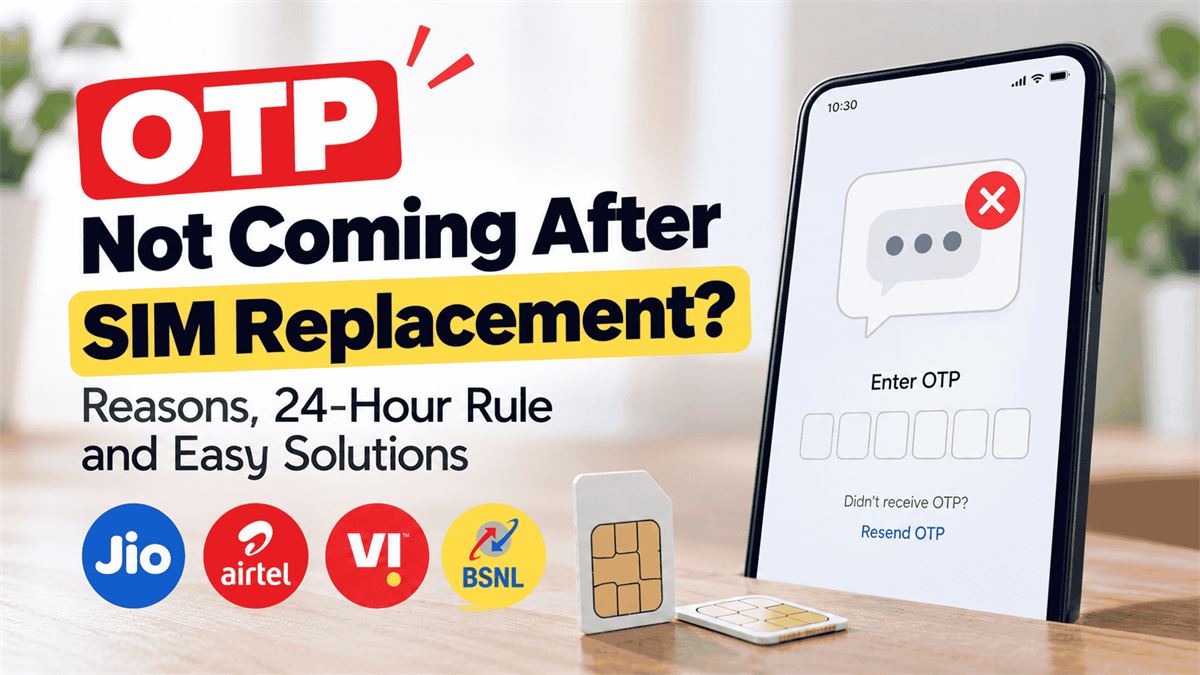
OTP Not Coming After SIM Replacement? Reasons, 24-Hour Rule and Solutions
Replaced your Jio, Airtel, Vi or BSNL SIM and suddenly stopped receiving OTPs? This India-focused guide explains the mandatory SMS waiting period, how to check whether your new SIM is ready, and the right steps for bank, UPI, Aadhaar, WhatsApp and Google verification codes.
Quick answer: In India, incoming and outgoing SMS are restricted for 24 hours after activation of a replacement SIM. During this time, SMS OTPs may not arrive even when calls or data work. After 24 hours, test an ordinary SMS first; if only one bank or app's OTP is missing, contact that service.
In this guide
- Why OTPs stop after a SIM replacement
- Quick answer: what to do right now
- Why India has a 24-hour SMS block after SIM swaps
- How to calculate the 24-hour waiting period
- Symptoms: SMS restriction or a different problem?
- Fix 1: wait until the SMS restriction ends
- Fix 2: verify the new SIM is fully active
- Fix 3: test an ordinary SMS before testing an OTP
- Fix 4: restart the phone and refresh the mobile connection
- Fix 5: check the Messages app, blocked senders and spam
- Fix 6: confirm the correct mobile number is registered
- Fix 7: check plan validity, SMS allowance and account status
- Fix 8: check dual-SIM and eSIM settings
- Fix 9: troubleshoot bank OTPs separately
- Fix 10: restore UPI verification after replacing a SIM
- Fix 11: Aadhaar OTP not received after SIM replacement
- Fix 12: WhatsApp, Google and other app OTPs
- Operator-specific guidance: Jio, Airtel, Vi and BSNL
- What if OTP is still not coming after 24 hours?
- How long should you wait before contacting customer care?
- How to explain the problem to support
- What not to do when OTPs are missing
- SIM-swap fraud warning signs and immediate safety steps
- A practical example: replacing a SIM before an urgent payment
- FAQ: OTP not received after SIM replacement
- Final checklist and takeaway
Why OTPs stop after a SIM replacement
Replacing a damaged, lost or old SIM is usually straightforward: you visit an authorised operator outlet, complete identity verification and activate a new physical SIM or eSIM profile for the same mobile number. The confusing part often begins afterwards. Your phone may show a network signal, calls may work, and mobile data may connect, but a banking OTP, Aadhaar code or WhatsApp verification SMS never arrives.
In India, the first explanation to check is the mandatory 24-hour restriction on incoming and outgoing SMS after SIM replacement. The Department of Telecommunications (DoT) describes this security measure in its telecom reforms, and Jio explicitly says SMS services remain barred for 24 hours after a SIM change. The restriction protects subscribers against fraudulent SIM swaps. It is not a setting you can switch off on your phone.
Not every missing OTP is caused by this rule. After the restriction has ended, you might still have a network registration issue, incorrect registered number, app-specific sending problem, blocked message, inactive plan or bank-side security check. The steps below help you distinguish these cases without wasting time on irrelevant fixes.
Quick answer: what to do right now
- Confirm when the replacement SIM actually became active. Count 24 hours from activation, not from when you requested or paid for the SIM.
- If it has been less than 24 hours, wait. Incoming and outgoing SMS may be unavailable by design. Repeatedly tapping “resend OTP” will not remove the restriction.
- Check whether voice calls and mobile data work. This helps identify whether the issue is SMS-only or wider activation/network trouble.
- After the 24-hour period, ask someone to send an ordinary text SMS. Do not test only with a bank OTP.
- If ordinary SMS arrives but one OTP does not, contact that bank or app. The sender may be delaying or filtering verification messages.
- If no SMS arrives after 24 hours, contact your mobile operator. Ask them to confirm SIM activation, SMS restoration and any account-level restrictions.
Safety reminder: Never share an OTP, UPI PIN, card PIN or password with anyone claiming they can “activate SMS faster.” A genuine support representative should not need your banking OTP.
Why India has a 24-hour SMS block after SIM swaps
A SIM swap transfers your existing phone number to a different SIM card or eSIM profile. This is useful when your device is lost, damaged or upgraded. Unfortunately, criminals sometimes try to impersonate a subscriber and obtain control of the number. If successful, they may attempt to receive security codes meant for the real account holder.
To reduce that risk, DoT strengthened SIM replacement procedures, including identity checks and a 24-hour bar on incoming and outgoing SMS. An official government announcement states that the subscriber must complete KYC for a replacement SIM and that SMS services will be restricted for 24 hours. Jio’s support documentation repeats the same rule.
This restriction is separate from normal SIM activation. A handset may connect to the network before SMS is restored. It is also separate from bank-level checks, which may require additional verification after a phone number, SIM or device change. Therefore, SMS restoration does not guarantee that every financial app will immediately complete its own security verification.
The key distinction is simple: a missing SMS during the restricted window is expected; missing messages after the window deserve troubleshooting.
How to calculate the 24-hour waiting period
Imagine you collected a replacement SIM at 11 a.m., but it was activated at 3:30 p.m. The relevant 24-hour period begins when the new SIM is activated, not when you left the store. In this example, check SMS again after approximately 3:30 p.m. the following day. If the operator sent an activation confirmation or SMS-restoration notice, use that information as your reference.
Activation timing can vary. You might be told that your old SIM will stop working first and the new one will register shortly afterwards. Do not assume the clock began when the replacement request was submitted. If you cannot establish the activation time, ask the operator to check it.
Some apps also impose their own waiting periods or verification limits. The telecom SMS restriction and an app's security policy are different things. Do not assume that a banking app is malfunctioning simply because it continues to request verification after ordinary SMS has resumed.
Symptoms: SMS restriction or a different problem?
| What you observe | Most useful next check | Likely direction |
|---|---|---|
| New SIM activated today; calls work, no OTP or normal SMS | Check activation time | 24-hour SMS restriction |
| No calls, no data and no SMS | Check network registration and activation | SIM or network issue |
| Normal texts arrive, bank OTP does not | Check bank's registered number and support | Sender-specific issue |
| One app's OTP arrives, another app's does not | Use the second app's help options | App-specific delivery or account checks |
| SMS arrives after 24 hours, but UPI registration fails | Check outgoing SMS, app SIM selection and bank rules | UPI verification issue |
| Messages appear in spam or blocked folder | Review message filtering | Phone-side filtering |
This table is a diagnostic guide, not a remote diagnosis. A provider may need to check account provisioning or network logs to confirm the cause.
Fix 1: wait until the SMS restriction ends
The most reliable first step is also the least exciting: allow the full 24-hour restriction to finish. There is no legitimate handset trick, secret SMS centre number or paid service that overrides a mandatory network-side SMS block.
During the waiting period, avoid uninstalling your banking apps, repeatedly resetting the phone or buying a replacement SIM again. Those actions may create more login or account recovery steps without solving the restriction. If you need to access an account urgently, use an already enrolled authentication method offered by the service, such as a secure authenticator, backup code or approved alternative verification process.
Never ask a stranger or unofficial agent to receive an OTP on your behalf. An OTP is an account security credential, even when it looks like a simple six-digit message.
Fix 2: verify the new SIM is fully active
Once the 24-hour period has passed, confirm that the new SIM is actually registered on your mobile network. Check whether the correct operator name appears in the status bar. Try making a normal call to a trusted contact and, if your plan supports it, test mobile data with Wi-Fi turned off.
If the phone displays “No Service,” “Emergency Calls Only” or “SIM Not Provisioned,” this is not merely an OTP issue. Restart the phone once and make sure the SIM is inserted correctly. For eSIM, confirm that the intended mobile line is enabled in the device's cellular settings. If there is still no network, contact the operator or visit its authorised service centre with your activation details.
A working call or data connection does not prove SMS has been restored, but it narrows the problem. Conversely, if everything is unavailable, spend your effort on activation and signal troubleshooting before testing OTPs.
Fix 3: test an ordinary SMS before testing an OTP
Ask a family member or trusted friend to send a short plain-text SMS to your mobile number. Make sure they send an SMS rather than a WhatsApp, iMessage or RCS chat message. If your phone supports RCS or iMessage, you may need to confirm the message type so the test genuinely checks carrier SMS delivery.
If the normal SMS arrives, your incoming SMS service is functioning at least for that sender. Now request one OTP from the affected service and wait for its normal delivery window. If the OTP does not arrive while other texts do, look at the bank or app's help centre, registered mobile number and available verification alternatives.
Jio's official FAQ makes this distinction: if you can receive messages from other senders but not a particular bank or app, the sender or its messaging route may be responsible. Avoid blaming the replacement SIM automatically.
Fix 4: restart the phone and refresh the mobile connection
After the restriction has ended, a normal restart can help a phone reconnect to the operator's network. Save your work, restart the handset and allow it a few minutes to register. If you are using dual SIM, verify that the replaced number is enabled and recognised.
You can briefly enable and disable Airplane Mode to refresh the connection, but this will not bypass the mandatory SMS restriction. Do not repeatedly reset network settings as a first step. Such a reset may remove saved Wi-Fi passwords, Bluetooth connections or other configuration details depending on the device.
If the device still shows unstable coverage, move to an area with a better signal and retry a single ordinary SMS test. Poor signal can delay SMS even when calls sometimes work.
Fix 5: check the Messages app, blocked senders and spam
On Android, open your default SMS application and review Spam & blocked, Archived and any filtering options. Menu names vary across Google Messages, Samsung Messages and manufacturer software. On iPhone, review the Messages app's filtering and blocked contacts settings. A sender ID or short code might have been classified unexpectedly.
Check that you are using an active SMS app and that notifications are enabled if the message exists but no alert appears. A notification problem is different from a delivery problem: the OTP may already be in the inbox. Search your messages for the bank or app name and look for recently received verification codes.
Do not install unknown “OTP recovery” applications or grant them SMS permissions. Such apps cannot recover a message that the carrier never delivered and may expose sensitive information.
Fix 6: confirm the correct mobile number is registered
If you changed to a new number rather than replacing the SIM for the same number, the situation is different. Banks, UPI apps, Aadhaar-linked services and websites may still have your old registered number. A code sent to that number will not reach the new SIM.
Check the last few digits of the mobile number displayed by the service before requesting an OTP. For banks and government accounts, update the registered number only through official procedures. Requirements differ by institution and may include an ATM, branch, secure online banking workflow or identity verification.
If the number is unchanged and only the SIM card was replaced, you generally do not need to change the mobile number in every account. However, a particular bank or payment app may apply extra security checks after a SIM change.
Fix 7: check plan validity, SMS allowance and account status
For a prepaid connection, check whether the mobile number has an active plan and whether outgoing SMS is included. This is particularly relevant when a UPI app is trying to send a verification SMS from your phone. A plan that permits some incoming services may not necessarily include the outgoing SMS needed for app registration.
Jio's SMS troubleshooting guidance advises prepaid users to check plan validity and SMS balance. Postpaid users should verify that their account is not restricted. Check your operator's official app or customer support rather than assuming a top-up will fix every SMS issue.
Remember that incoming OTP delivery and outgoing verification SMS are separate operations. An app can fail registration because it cannot send an SMS even when incoming texts are working.
Fix 8: check dual-SIM and eSIM settings
Dual-SIM phones can create a second layer of confusion. Your replaced SIM may be active for calls while the phone is configured to send SMS from another line. In Android settings, inspect SIM Manager, SIM Cards or Network & Internet. On iPhone, review Cellular or Mobile Service settings and the available lines. Exact labels depend on software version.
For an app that sends an outgoing verification SMS, select the SIM linked to your bank account when the app instructs you to do so. Keep that SIM enabled, with network access and an eligible SMS plan. Some apps also require the SIM to be present in the same phone where registration takes place.
If you recently transferred a physical SIM to eSIM or moved an eSIM to another device, check the operator's activation notice. A SIM-profile change may trigger the same SMS security restriction. Jio's published eSIM instructions show a notice that incoming and outgoing SMS can remain unavailable for the next 24 hours.
Fix 9: troubleshoot bank OTPs separately
If ordinary SMS works but you do not receive an OTP from a bank, verify that the bank still has the correct registered number. Check whether the bank is displaying a delivery error, account lock, transaction limit or an alternative authentication option. Do not keep retrying in rapid succession: some services temporarily limit code requests for security.
Contact the bank using the phone number on its official website, app or the back of your card. Explain that you replaced your SIM, state when SMS was restored, and mention whether normal texts and other OTPs arrive. Ask whether the bank has any SIM-swap-related verification hold or delivery problem.
Some operators and banks use additional anti-fraud checks for banking OTPs. For example, Airtel describes a fraud-detection feature in which certain banking OTPs can be held during a call pending a consent prompt. This is not the same as the universal 24-hour SIM replacement restriction, but it is worth mentioning to support if the circumstances match.
Fix 10: restore UPI verification after replacing a SIM
UPI apps often verify your bank-linked number by sending an SMS from the SIM installed in your phone. That process can fail during the 24-hour outgoing SMS restriction. Wait until SMS service is restored before attempting fresh registration or bank-account linking.
Afterwards, confirm that the bank-linked number and active SIM match, that the correct SIM is selected for outgoing SMS, and that your plan permits SMS sending. Make sure the app has the permissions required by its current setup flow. Use the app's official help section if verification still fails.
Do not delete an existing UPI profile or reset a UPI PIN simply because an OTP did not arrive. The problem may be the SMS restriction rather than your account credentials. Never share your UPI PIN or enter it on a support website sent by an unknown caller.
Fix 11: Aadhaar OTP not received after SIM replacement
If the Aadhaar-linked mobile number has not changed, the first check is whether the SIM's 24-hour SMS restriction has ended. Once normal SMS is available, request the Aadhaar OTP again from the genuine UIDAI service you are using. Ensure that the displayed mobile-number hint matches your registered number, if shown.
If you have changed your phone number entirely, the Aadhaar record may still point to the previous number. Updating an Aadhaar-registered mobile number requires following UIDAI's current official process. Do not rely on unofficial sites promising instant Aadhaar mobile-number updates or OTP bypasses.
Use the official UIDAI website for service information and support. If ordinary SMS is arriving but UIDAI OTP is not, contact UIDAI support and explain the exact service, time of request and error message. Do not share the OTP with a third party.
Fix 12: WhatsApp, Google and other app OTPs
WhatsApp, Google, shopping apps and social platforms may offer more than one verification method, depending on the account and security settings. Start by checking that the full phone number, including country code, is correct. Request one code, wait for the indicated timer, and use only the alternatives shown inside the official app.
Google's account help says SMS verification can be affected by provider delivery and security checks, and Google may offer prompts or other previously configured verification methods. If a Google SMS does not arrive, do not assume the phone is broken; check your account's available sign-in options.
For WhatsApp and similar apps, use the app's own help and verification flow. Avoid repeated rapid attempts because you may encounter a temporary retry timer. Never provide a verification code to someone who says they accidentally sent it to your number.
Operator-specific guidance: Jio, Airtel, Vi and BSNL
Jio SIM replacement OTP not coming
Jio explicitly states that incoming and outgoing SMS are barred for 24 hours after a SIM change. After that window, test a normal SMS, check plan status and contact Jio through its official support channels if messages still fail. Jio also advises contacting the relevant bank or app when other messages arrive but one sender's OTP does not.
Airtel SIM replacement OTP not coming
For Airtel, first allow the regulatory SMS restriction to end. Then confirm network registration, SMS delivery and the number registered with the sender. Airtel publishes general SMS troubleshooting information, including restarting the phone and checking SMS-related settings. Do not change an SMS centre number based on a random online list without operator guidance.
Vi SIM replacement OTP not coming
For Vi, check the replacement activation time and whether normal SMS works after the security window. If calls and data work but all SMS remain unavailable, use the official Vi app, customer-care channel or authorised store to request an SMS provisioning check. Confirm your account and plan status with Vi directly.
BSNL SIM replacement OTP not coming
For BSNL, confirm activation and the completion of the post-replacement SMS restriction. If messages remain unavailable, ask BSNL support or an authorised customer-service centre to check SMS service provisioning and network registration. The precise troubleshooting path may vary by service area and device.
Important: The operator-specific steps above are diagnostic advice, not a claim that all operators have identical app screens, recharge rules or restoration messages.
What if OTP is still not coming after 24 hours?
If more than 24 hours have passed since actual SIM activation, use this short decision sequence:
- Confirm that the new SIM can make or receive a normal voice call.
- Ask someone to send you a plain SMS.
- Try sending a plain SMS to a trusted contact if your plan supports it.
- Check blocked/spam messages and the selected SIM on dual-SIM devices.
- Confirm whether the failure affects every sender or only one bank/app.
- If all SMS fail, contact the operator and ask them to check incoming and outgoing SMS provisioning.
- If only one OTP fails, contact that service's official support and ask about sender-side delivery or account restrictions.
Keep the approximate SIM activation time, affected mobile number, phone model, network signal status and a few example SMS attempt times ready. Do not publicly post your full mobile number, bank account details, OTPs or screenshots containing personal identifiers.
If your operator confirms SMS is active but your handset still receives nothing, it may suggest testing the SIM in another compatible device or inspecting device settings. Follow the operator's guidance, especially for eSIMs, which cannot be physically moved like a plastic SIM.
If your SIM is active but you are still not receiving OTPs, check whether your mobile plan is valid and whether the required SMS services are available. If you need an affordable plan to keep your number active for banking and OTP verification, read our Jio vs Airtel vs Vi vs BSNL Recharge Plans Comparison to compare recharge options.
How long should you wait before contacting customer care?
During the first 24 hours after activation, a missing SMS is consistent with the standard restriction. Contact support sooner if the SIM never activates, calls and data are unavailable, the wrong number appears, or you suspect an unauthorised SIM swap. Those are different and potentially urgent problems.
After the full 24 hours, test normal SMS and allow a short period for the network and handset to settle. If SMS still fails, contact the operator rather than waiting indefinitely. If only a bank's OTP is missing while other messages arrive, contact the bank or app support directly.
For an urgent banking need, ask your institution whether it offers a legitimate alternative identity verification method. Do not assume every bank supports email OTP, branch assistance or app-based authentication for every transaction.
How to explain the problem to support
A precise support request can save time. You can adapt this message:
“I replaced my SIM for the same mobile number on [date] at approximately [time]. More than 24 hours have passed since activation. Voice calls [work/do not work], mobile data [works/does not work], and ordinary incoming SMS [arrives/does not arrive]. I am unable to receive OTP messages from [service], or all SMS messages are failing. Please check whether incoming and outgoing SMS service is restored and whether there is any provisioning or account restriction.”
If ordinary SMS arrives but a particular OTP fails, send a similarly specific message to the bank or app instead. Include the approximate request time and error wording, but never include the OTP itself.
What not to do when OTPs are missing
- Do not pay someone to “remove” the 24-hour block. The restriction is a network-side security requirement.
- Do not share OTPs or banking credentials. No legitimate troubleshooting step requires telling an agent your UPI PIN.
- Do not repeatedly reinstall payment apps. You may create extra verification challenges.
- Do not use random SMS centre numbers. Incorrect values can disrupt outgoing SMS; obtain guidance from your operator.
- Do not factory-reset your phone as the first fix. It cannot override an operator restriction and may cause data loss.
- Do not assume an OTP is delayed forever. Verification codes expire; request a fresh code once delivery works.
- Do not trust links in unsolicited support messages. Navigate to the bank or operator's official app or website yourself.
SIM-swap fraud warning signs and immediate safety steps
A SIM replacement you requested is different from an unexpected loss of service. If your phone suddenly loses network access and you did not request a SIM change, treat it as a possible account-security issue. Contact your mobile operator immediately through a verified channel and ask whether a replacement SIM or eSIM was issued.
If you also see suspicious banking activity, contact the bank promptly using official channels and follow its fraud-reporting procedure. Change passwords through trusted devices when appropriate and review account recovery methods. In India, the official cybercrime reporting portal is cybercrime.gov.in; emergency financial cyber-fraud reporting options are described there. Do not wait for the 24-hour SMS restriction to end if you suspect fraud.
To reduce risk, protect your operator account credentials, use strong device security, avoid sharing identity documents unnecessarily and be alert to callers who request OTPs or ask you to approve SIM changes you did not initiate.
A practical example: replacing a SIM before an urgent payment
Suppose you lose your phone on Monday morning and obtain a replacement SIM that becomes active at 6 p.m. You need to sign in to a banking app that evening. The new SIM may receive network service, but SMS verification can remain unavailable until roughly 6 p.m. Tuesday. Repeated OTP requests during Monday evening are unlikely to help because the incoming SMS path is restricted.
On Tuesday evening, ask a trusted contact to send a normal SMS. If it arrives, try the bank's verification flow once. If the bank code still does not arrive, check whether the bank has a SIM-change security hold or offers another approved way to verify your identity. If no normal SMS arrives, ask your operator to investigate SMS restoration.
This example illustrates why the sequence matters: first distinguish the mandatory security window, then test basic SMS, then investigate the individual app. Skipping straight to phone resets can waste time and create new problems.
FAQ: OTP not received after SIM replacement
1. Why am I not receiving OTP after replacing my SIM?
In India, incoming and outgoing SMS are barred for 24 hours after SIM replacement. During that period, SMS-based OTPs may not reach your phone. After 24 hours, check ordinary SMS delivery and sender-specific problems.
2. Is there a 24-hour OTP block after a SIM swap?
The formal restriction applies to incoming and outgoing SMS, not only OTPs. Because OTPs commonly arrive by SMS, they are affected.
3. Can I receive bank OTPs immediately after a duplicate SIM activation?
Do not rely on receiving SMS-based OTPs during the first 24 hours after activation. Use only an alternative authentication method officially supported by your bank, if one is available.
4. When does the 24-hour SIM replacement restriction start?
Count from activation of the replacement SIM. Ask the operator to confirm activation time if you are unsure.
5. Why are calls working but SMS and OTPs not working?
Voice and SMS are separate services. The replacement SIM may connect for calls while SMS remains restricted under the security rule.
6. Why is Jio OTP not coming after SIM replacement?
Jio confirms a 24-hour bar on incoming and outgoing SMS after SIM changes. If the period has ended, test normal SMS and contact Jio if all messages fail.
7. Why is Airtel OTP not coming after SIM replacement?
First check the 24-hour SMS restriction and activation status. If the restriction has ended, test normal SMS, blocked messages and sender-specific delivery.
8. Why is Vi OTP not coming after a duplicate SIM?
Check whether the security restriction has ended and whether the new SIM is fully active. If normal SMS remains unavailable, contact Vi support.
9. Why is BSNL OTP not coming after SIM replacement?
Confirm activation, wait for the SMS restriction to end, and ask BSNL to check SMS provisioning if messages remain unavailable.
10. Does converting to eSIM affect OTP delivery?
A SIM or eSIM profile change can trigger SMS restrictions. Follow your operator's activation and SMS-restoration instructions.
11. Can I use UPI during the first 24 hours after replacing my SIM?
Features that require sending or receiving verification SMS may fail. Existing app functions and bank-side restrictions vary, so check the particular UPI app and bank.
12. Why is Google Pay or PhonePe not verifying my number?
UPI registration commonly requires an outgoing SMS from the bank-linked SIM. Check whether the 24-hour outgoing SMS restriction has ended, whether the correct SIM is selected and whether SMS sending is available.
13. Why is Aadhaar OTP not coming after SIM replacement?
First check the 24-hour SMS block. Then confirm that the Aadhaar-linked number is still the same and use official UIDAI support if other SMS arrives but Aadhaar OTP does not.
14. Why is WhatsApp OTP not coming after SIM change?
It may be due to the SMS restriction, incorrect number, delivery delay or app-specific verification limits. Use WhatsApp's official verification alternatives when offered.
15. Does restarting the phone remove the 24-hour SMS block?
No. Restarting may help network registration after service is restored, but it does not remove the operator-level restriction.
16. Can I change the SMSC number to receive OTPs?
Changing an SMS centre number does not override the 24-hour restriction. SMSC settings primarily affect SMS routing and should be changed only with operator guidance.
17. What if I receive normal SMS but not a bank OTP?
Check the bank's registered number and contact its official support. The bank or its messaging provider may be having a sender-specific problem.
18. What if OTP is not coming after 48 hours?
Do not keep waiting without testing. Check normal incoming and outgoing SMS and contact the operator if SMS is unavailable. Contact the bank or app if only its OTP fails.
19. Does a SIM replacement change my registered mobile number?
A replacement SIM for the same number does not itself change the number. Changing to an entirely different mobile number requires separate account updates.
20. Is the 24-hour block meant to prevent SIM-swap fraud?
Yes. The temporary SMS restriction is one of the security measures intended to reduce misuse of newly issued replacement SIMs.
21. Can customer care send the OTP to another number?
Do not assume so. Verification methods depend on the bank or service. Use only options provided through its official recovery or support process.
22. What if the old SIM still works?
Ask the operator to confirm whether the replacement was activated and which SIM is currently registered. Do not assume the restriction has started merely because a new SIM was issued.
23. Do I need to update my bank account after a duplicate SIM?
If the phone number remains the same, a number update is generally not needed. Your bank may still require additional security verification after a SIM change.
24. Are email OTPs affected by the SIM SMS restriction?
The restriction is on carrier SMS. Email-based verification may work if the service supports it and you can securely access your email account.
25. How can I report a suspected unauthorised SIM swap?
Contact your operator immediately through official support. If financial accounts may be compromised, alert your bank and use India's official cybercrime reporting channels.
Final checklist and takeaway
The most common reason for an OTP not arriving immediately after a replacement SIM is the 24-hour incoming and outgoing SMS security restriction. If you are still inside that period, waiting is the correct first step. A phone restart, new recharge or random settings change cannot bypass the restriction.
Once the full period has passed, use a simple diagnostic order: confirm SIM activation, test an ordinary SMS, check both incoming and outgoing messaging, inspect dual-SIM and blocked-message settings, and then contact the relevant operator or bank. If only one sender's OTP is missing, focus on that sender rather than replacing the SIM again.
Save this guide for the next time you replace a SIM or move to eSIM. It can help you avoid unnecessary resets, failed UPI registration attempts and fraudulent “instant OTP unlock” offers.
Official sources and further reading
This article is based on government and operator guidance. Operator screens, banking policies and app verification options can change, so check the official service when taking action.
- Department of Telecommunications / PIB: KYC reforms and 24-hour SMS bar
- Jio: SMS not received from a specific sender
- Jio: Unable to send SMS troubleshooting
- Jio: eSIM and SMS restoration guidance
- Airtel: SMS troubleshooting
- Google: Fix 2-Step Verification issues
- Google: When Google sends a text
- India cybercrime reporting portal
Editorial note: General troubleshooting information, not a substitute for your mobile operator's account-specific support or your bank's security advice